
Product
A denial assistant, not another PMS.
ClaimMend is not a zip you install yourself. After a demo we put it on a dedicated workstation (we ship one, or we use a spare machine that is not a staff PC), wire Dentrix or Eaglesoft, Dexis, Vyne, and email, and manage the instance from our admin portal. Staff still submit the package in Vyne.
What it is
It is a managed workflow for dental offices that already lose time on the same denials: missing radiographs, wrong CDT codes, thin narratives.
We connect Gmail, Outlook, or IMAP so e-denials are picked up, and we point imaging and the PMS at the dedicated machine. Analysis stays on that workstation: OCR plus a denial-code knowledge base. Nothing is sent to Vyne automatically.
Capabilities
What ClaimMend can do today
| Capability | What the office gets |
|---|---|
| Scan, upload, or inbox | TWAIN/WIA scanner, PDF/image browse, or IMAP watch (Gmail, Outlook 365, corporate webmail). Same denial is not processed twice. |
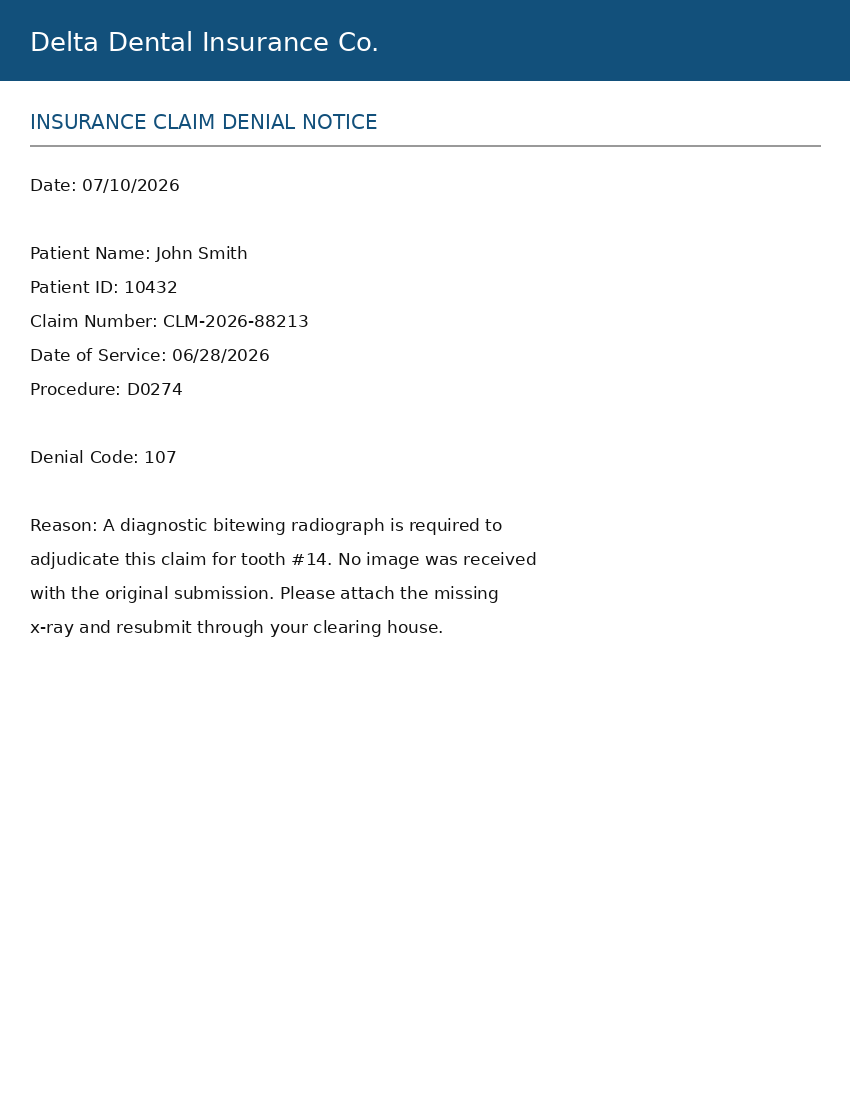
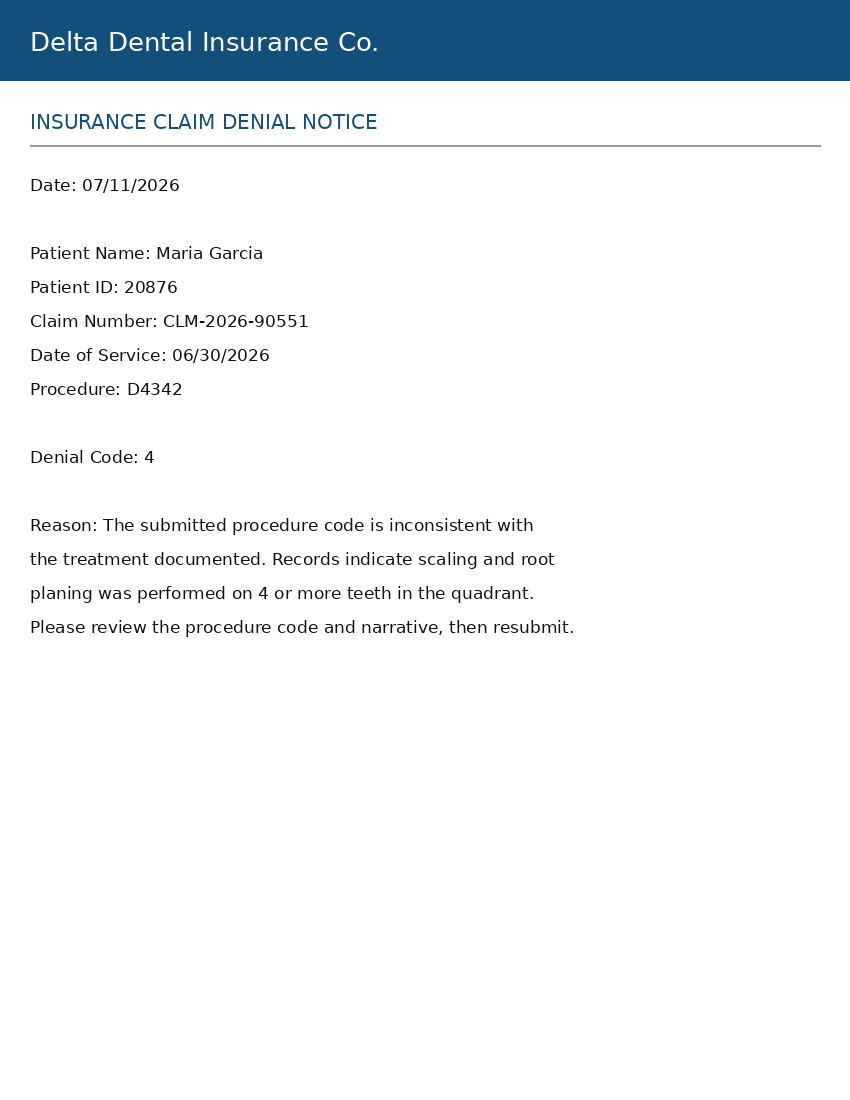
| Denial analysis | Extracts patient name and ID, claim number, denial code(s), and reason. Interprets missing x-ray vs code vs narrative vs other. |
| Dexis radiograph search | Finds the matching radiograph in Dexis 9 or Dexis 10 and ranks the likely images. Staff pick the one that goes in the package. |
| Code and narrative help | Suggests a corrected CDT procedure code and a stronger carrier-facing narrative for documentation denials. |
| Dentrix / Eaglesoft lookup | Dedicated read-only Dentrix user for patients/claims. Eaglesoft uses open document and imaging folders. Document Center files attach via Export/Save As. |
| Resubmission package | Original scan, supporting x-ray or docs, response letter, and PDF + text summary. Staff upload that folder in Vyne. Nothing auto-submits. |
| HIPAA / BAA | Denial letters are treated as PHI. We sign a Business Associate Agreement before the workstation goes live. Details. |
Sample letters
What the software reads first.
Generated samples from the ClaimMend install, watermarked as demo data. Not a patient record. A live look at the running app is part of the demo.
How an office uses it
Schedule a demo
No self-serve installer. We walk through a real denial against your PMS and imaging, then quote Basic or Pro.
We install on a dedicated machine
We ship a ClaimMend workstation or use a spare box that is not a staff PC. Dentrix/Eaglesoft, Dexis, Vyne, and email are wired by us. We manage it from our admin portal.
Staff work denials, then submit in Vyne
Scan or inbox → analyze → Dexis or code/narrative fix → preview → export. Someone in the office still uploads the package in Vyne.
What this service does not do
Network Specs installs it on a dedicated workstation. It does not go on front-desk or provider PCs, and it does not submit the claim to Vyne.
Want this against your Dentrix, Dexis, and Vyne?
Schedule a demo. We install only after it fits. See pricing for Basic and Pro.